The ROUNDUP function
The ROUNDUP function allows you to automatically round a numeric results up to the nearest value based on the decimal places specified.
This is the format of the ROUNDUP function:
=ROUNDUP(NUMBER, NUMBER OF DIGITS)Here is an example of the ROUNDUP function:
=ROUNDUP(7530.4, 0)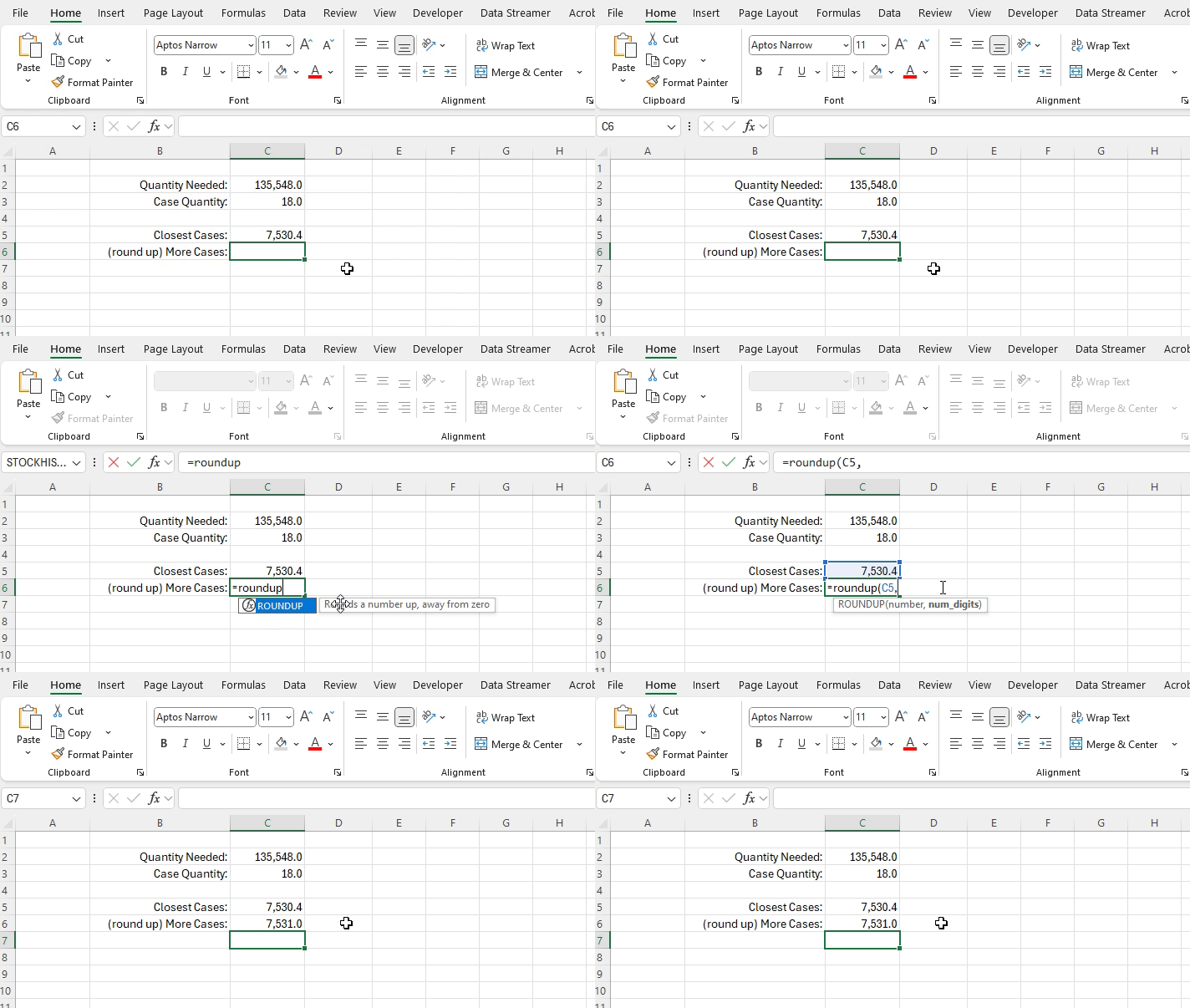
ROUNDUP function returning the rounded value of 7,531 from the input of 7,530.4 rounded to zero decimal places.
This function is valuable when you are dealing with situations when decimal numbers, or decimals past a certain level of granularity are not realistically possible or viable, and where you always need the greater of the rounded options.
An example of a functional implementation of this would be ordering ingredients for a restaurant where products need to be ordered in whole units. You know you need at least a specific amount of ingredients and will always need to round up and order more for you to be able to meet your production needs.
ex: you need 15.2 cases of tomatoes for the next days menu, you must order 16 cases otherwise you won’t have enough
=ROUNDUP(15.2, 0)